Discord bot
Striqr for Discord
Paste code in Discord and press a button. Striqr runs it, explains any error in plain words, and gives you a link to share.
Free to start. Striqr never asks to be a server admin.
Already added it? Change its settings for your servers.
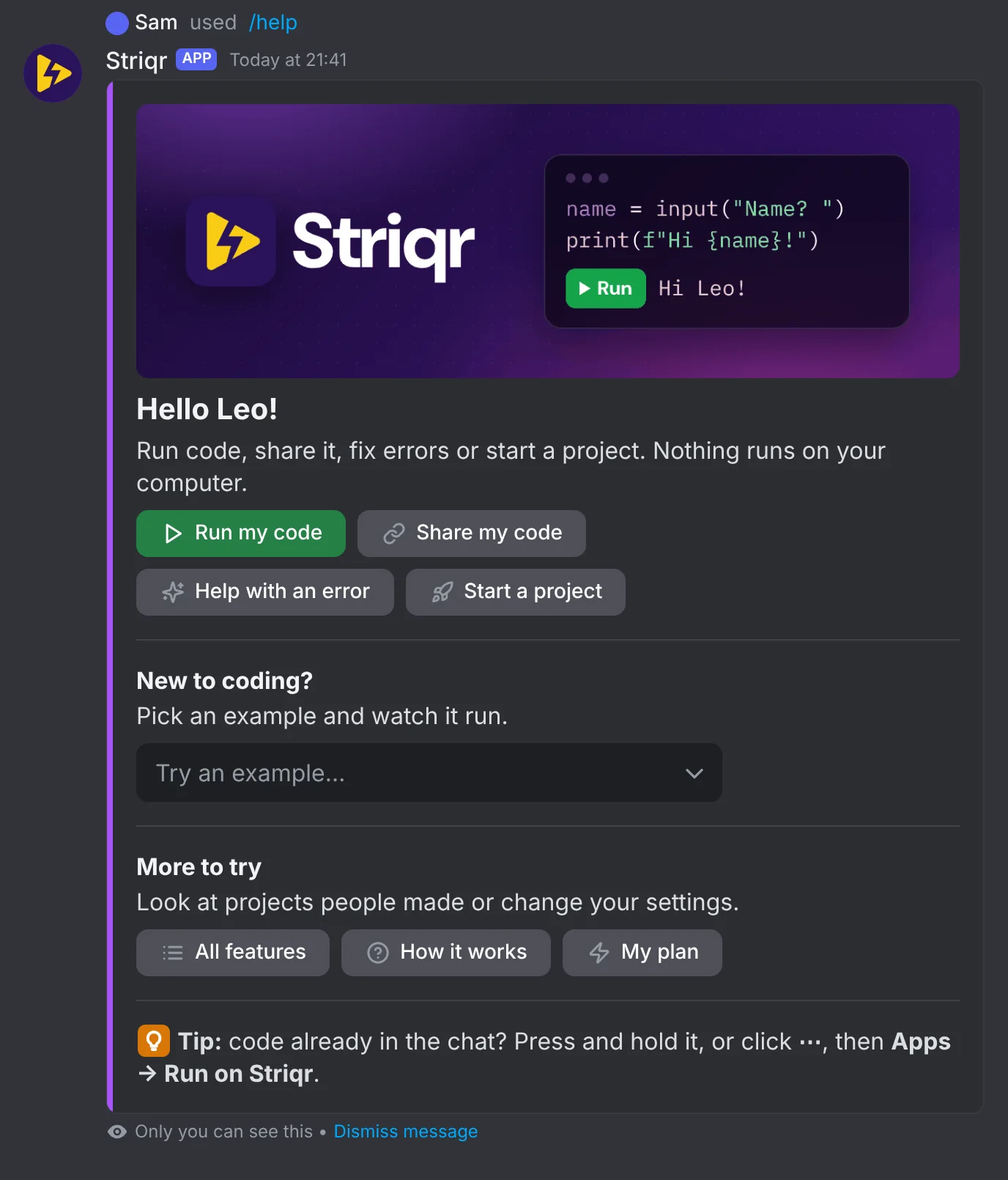
Run code in the chat
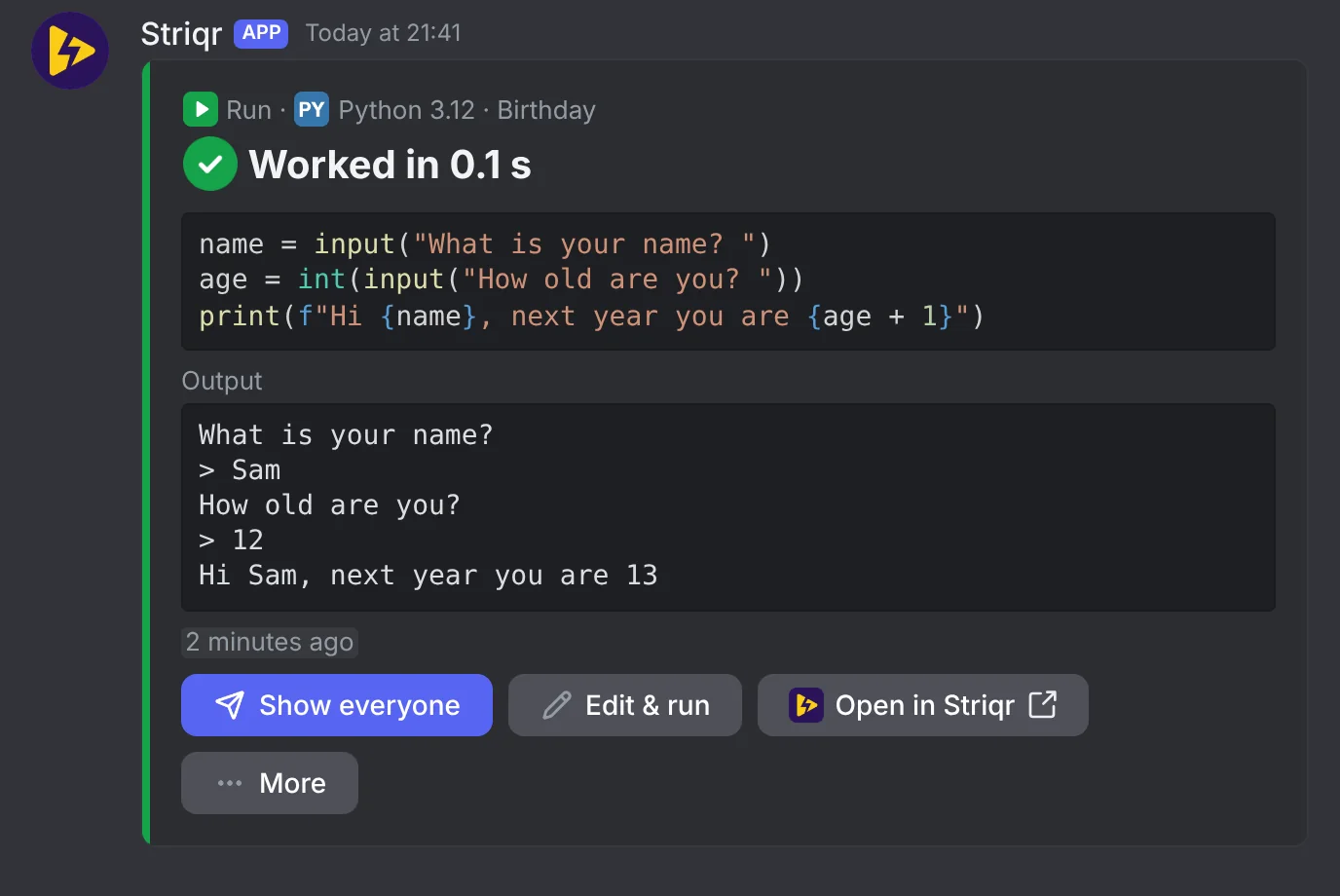
Press Run my code, paste your code and send it. Striqr runs it on its own servers and shows what it printed. It runs Python, JavaScript, Java, C, C++, Go, Rust and more. A program that asks questions gets your answers, and each one shows after its question.
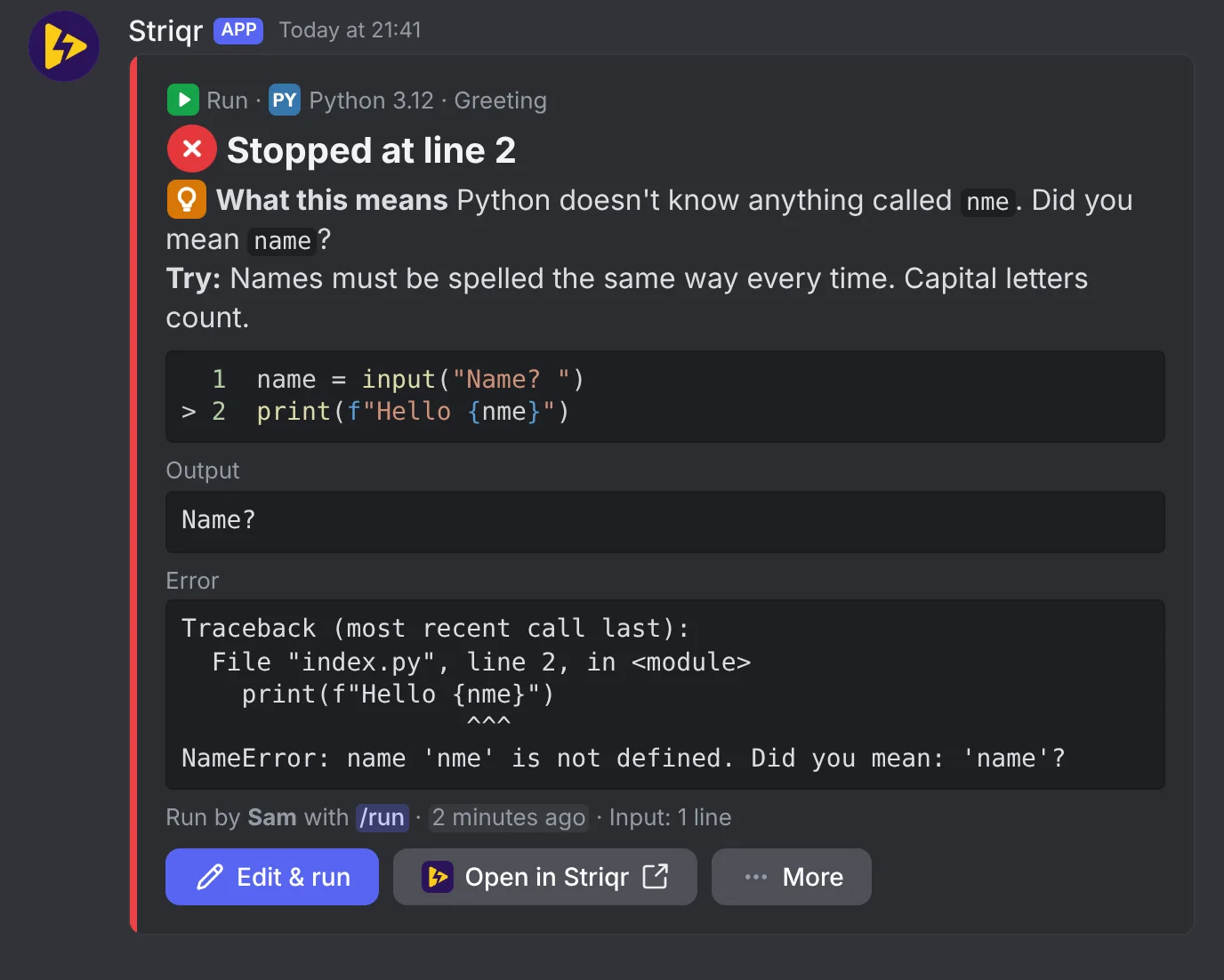
Errors in plain words
When code fails, the card says what the error means and one thing to try. This explainer is free and uses no AI. Still stuck? Ask Striqr AI explains your code and suggests a fix, in your language.
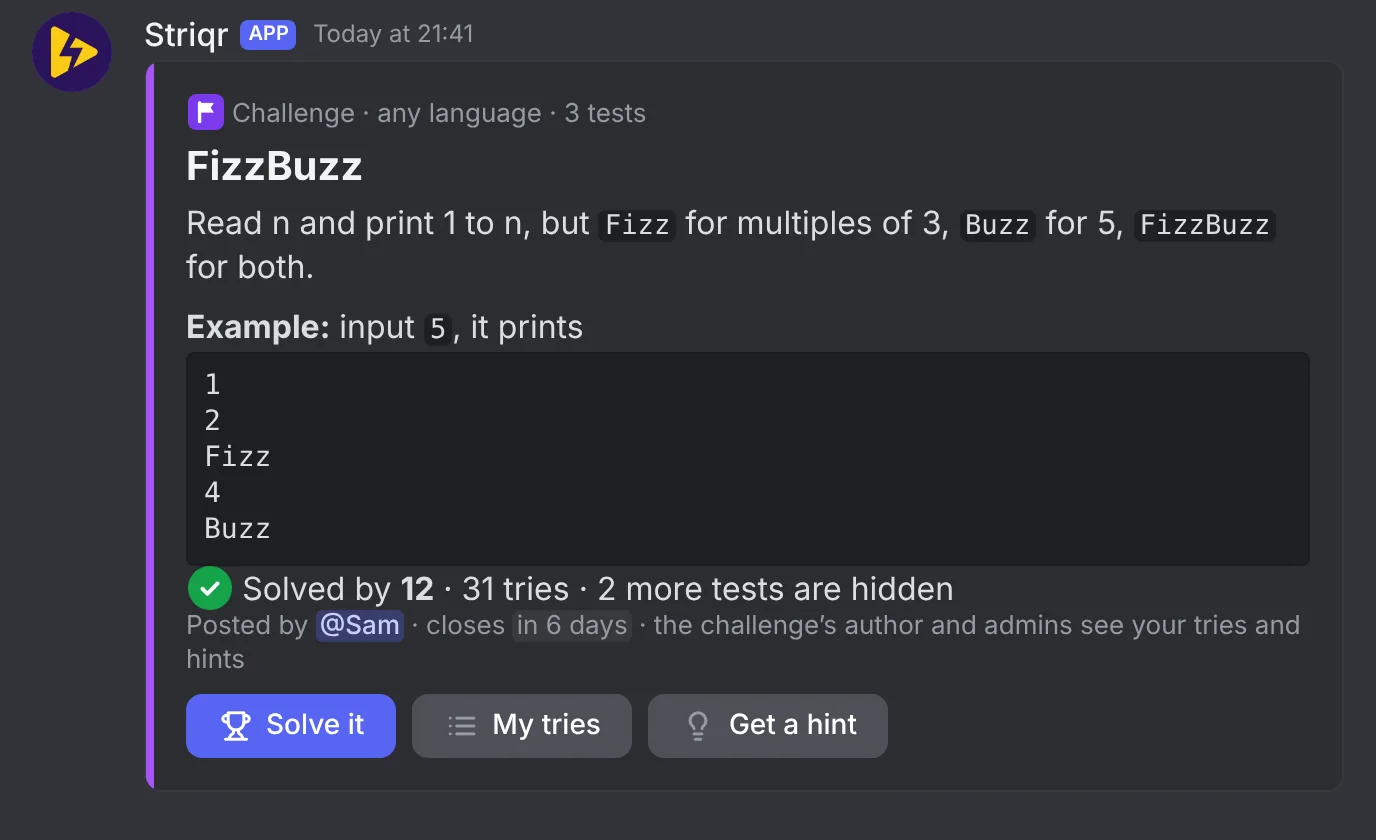
Challenges for your class
Post a task, and students press Solve it. Each try is checked privately, and the tests you hide stay hidden. Get a hint grows in three steps, so nobody jumps straight to the answer.
More it can do
-
Share a link
Share my code posts your code with a link. Anyone with the link can open it and run it on striqr.com.
-
@Striqr
Write "@Striqr run this" with your code, and it runs in the chat. "@Striqr link" shares it, and "@Striqr help" explains what goes wrong.
-
Play mode
A Python program that asks questions waits for your answers, one at a time, right in the chat.
-
Striqr AI
Ask Striqr AI explains code and suggests a fix, in your language. A photo of your code works too.
-
Start a project
Describe a small game or web page, and Striqr AI makes it. Ask for a change in your own words.
-
Ask for help
A run that failed can go to your help channel or forum, so classmates can answer. Solved thanks whoever helped.
-
Class mode
Results come to each student first, and Striqr AI gives hints instead of answers. A Start here panel has big buttons.
-
AI fixes on striqr.com
Turn them on, and code opened from your server gets Smart Bolt's fixes on striqr.com. Your AI credits pay.
-
The class plan
Where it's on sale, a school buys it in Discord for one server. That server then gets up to 400 runs an hour, not 120.
How it works
-
Add Striqr
Add it to your server, or to your own account to use it anywhere.
-
Type /help
Home opens with four buttons: run, share, get help or start a project.
-
Paste your code
Press a button, paste your code and send it. The answer comes back in the chat.
Questions and answers
What does Striqr keep, and for how long?
Your last 5 pieces of code for 7 days, with keys and tokens taken out. Run results and Striqr AI's answers for 7 days, so their buttons work. A share card's code for 30 days. The Privacy Policy lists the rest.
How do I delete what it keeps?
In Discord, type /settings, then pick Delete my data under More settings. It asks first, then deletes your code, results and settings. Forget my code deletes only your code.
Which permissions does it ask for, and why?
View Channels and Send Messages, to post its cards. Embed Links and Attach Files, for pictures of code and what programs draw. Read Message History, to answer @Striqr. Create Public Threads, Create Private Threads and Send Messages in Threads, for Ask for help and practice spaces. It never asks to be an administrator.
What's free, and what do the plans add?
The free plan gives 25 runs a day, the error explainer, sharing, and 3 Striqr AI answers a day. Boost gives 200 runs a day and 30 Striqr AI answers. /plan in Discord shows your plan. Where it's on sale, a school can buy the class plan for its server.
Where does my code run?
On Striqr's servers, never on your computer. Each run gets a fresh container with no internet access.
Is it safe for a class?
Striqr asks before a key or token in your code goes public. Class mode sends results to each student first, and Striqr AI gives hints, not answers.
What's the difference between a server and my apps?
Add to a server gives everyone there the commands and the Apps menu. Add to my apps lets you use Striqr yourself in any server or DM.
The Privacy Policy says everything the bot keeps, and why.
Add Striqr to your server
It's free, and it takes a minute. Type /help once it's in.
Add to a serverMore from Striqr
-
Code in the browser
Browser-native editor
Syntax highlighting, files, and a terminal. No install.
-
Fixes as you run
Smart Bolt
Spots a missing library or a wrong port, and offers the fix.
-
Build with AI
AI assistant
Plan features, edit files, and debug with top models.