How to Share Working Code with a Client (No Zip Files, No Screen Share)
Sending clients a zip file or booking a screen share wastes hours. Here's how to share code that actually runs in their browser, from one link, no install.
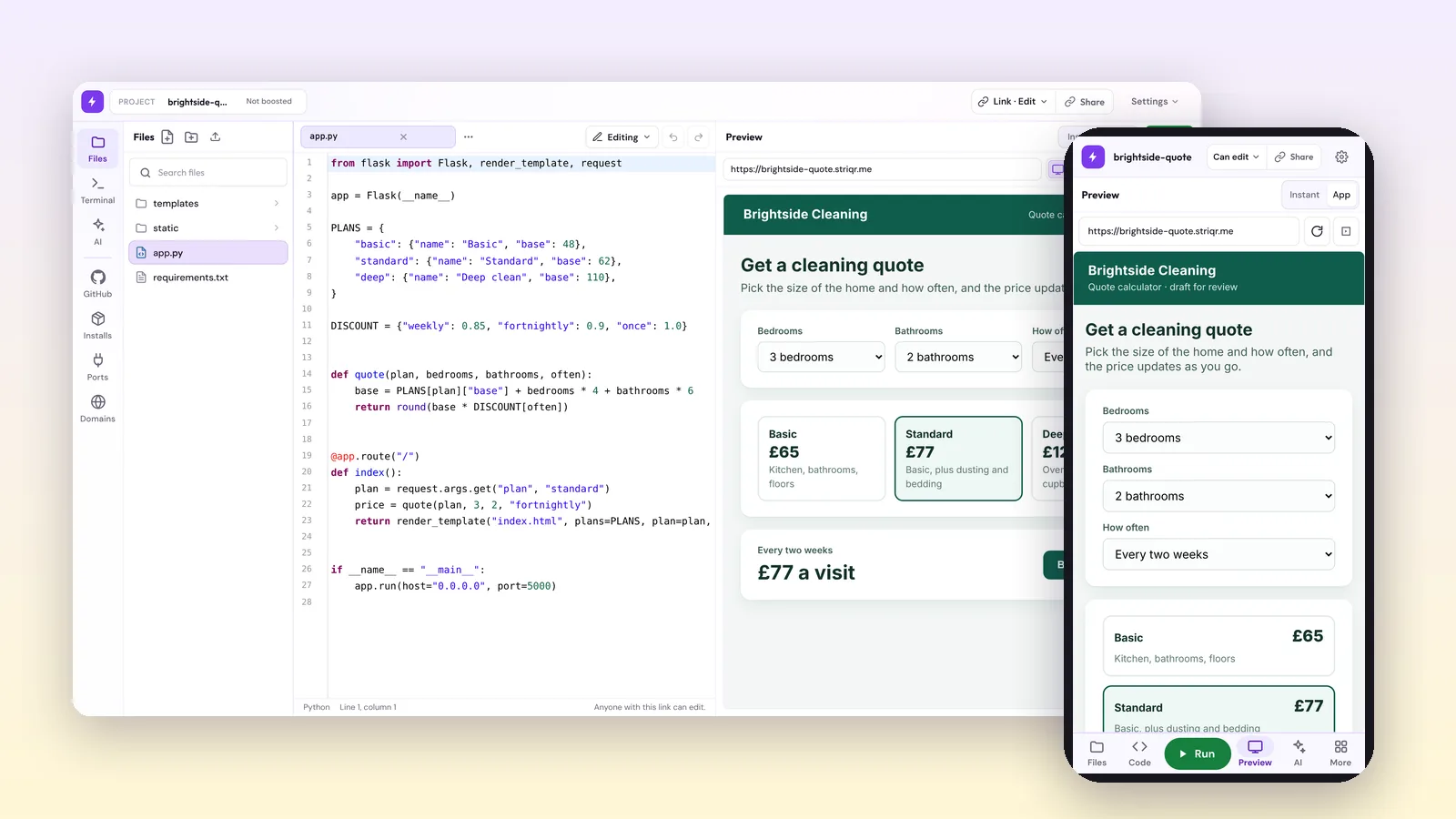
There's a specific moment in every project where things go quiet. You've built the thing, you're pleased with it, and the client sends four words:
"Can I see it?"
And then you spend the next forty minutes doing something that has nothing to do with building software. Zipping a folder. Writing install instructions for someone who has never opened a terminal. Booking a call so you can share your screen and drive while they watch. Recording a video of software that they could have just used.
And a good share of the time, none of it works anyway, because of something you have no control over: the machine your client is sitting at.
I've worked on a platform where installing software simply wasn't an option. No admin rights, nothing gets added to the machine, and that's the end of the conversation. I can't say much more about the environment than that, and the specifics don't really matter, because the effect is the same everywhere it applies. Getting working software in front of someone inside a setup like that is close to impossible using the normal methods. The person is sitting three feet from a machine that could run your work, and there is no path from your laptop to their screen.
That experience is a large part of why I care about this problem at all, and it's not a niche one. Corporate IT policy, government and defence networks, hospitals, finance, schools, anywhere with a managed device fleet. Those clients aren't being difficult. They physically cannot run your installer, and no amount of clearer instructions will change that. If your review process depends on the client installing something, you've built it on a foundation that fails for a meaningful share of the people you'll ever work with.
This post is about how to stop doing that. I'll go through the five ways people normally share code with a client, why four of them create work instead of removing it, and what to do instead.
What clients actually want when they ask to see your code
Worth being clear about this first, because it's the thing that makes every other decision obvious.
Your client almost never wants to read your code. They want to see the thing work. They want to click the button, type in the box, break it, and tell you the button is the wrong shade of blue.
So "sharing code with a client" is the wrong framing. What you're actually doing is giving a non-technical person the shortest possible path to a running version of your work, on their own machine, at a time that suits them, without you in the room.
Once you frame it that way, most of the standard options fall apart on their own.
The five ways people share code with clients
1. The zip file
Still the most common, still the worst. You compress the project, attach it, and write a paragraph of instructions.
What actually happens: the client's mail provider strips the attachment because it contains executable files. Or it arrives, they extract it, and now they need Node or Python installed, plus the right version, plus dependencies. Every one of those steps is a place where the conversation stops and you get a message that says "it's not working."
You've also just turned a five minute review into homework. Clients don't do homework. They wait until the next call and say they didn't get a chance to look.
When it's still fine: handing over final deliverables at the end of an engagement, where the client's own developer is receiving it.
2. A GitHub link
Better for developers, useless for most clients. A repo is source code, not a running application. Asking a marketing director to clone a repo and run npm install is asking them to do your job.
Even when the client is technical, "works on my machine" is still a real risk. Their Node version isn't yours. Their Python isn't yours.
When it's still fine: the client has an engineering team, and handover, not review, is the goal.
3. Screenshots
Fast to produce and completely inert. A screenshot proves a screen exists. It doesn't let anyone test the form, follow the flow, or notice that the third step is confusing.
Clients approve screenshots and then get surprised by the real thing, which is the most expensive kind of feedback because it arrives late.
When it's still fine: flagging one specific visual detail mid-conversation.
4. A recorded video walkthrough
A step up, and genuinely useful for explaining a decision. The limit is that the client is watching you use the software rather than using it themselves. You control the pace, the path, and what gets shown. You will unconsciously avoid the rough edges. They can't wander off the route and find the bug.
When it's still fine: explaining reasoning, showing a complicated flow, async updates across time zones.
5. The screen share call
The default fallback, and the most expensive thing on this list. You're both now spending an hour, scheduled days out, so that one person can look at something for four minutes. Nothing is left behind afterwards. If the client wants a second look, or wants to show a colleague, you do the whole thing again.
When it's still fine: working through feedback together in real time, once they've already seen it.
What good client sharing actually looks like
Whatever method you land on, these are the things that matter. I'd use this as a checklist for any tool you're evaluating, including ours.
| Requirement | Why it matters |
|---|---|
| Nothing to install on their side | Every install step is a place they give up |
| It runs, not just displays | Static previews hide the problems that matter |
| One link, no account | A signup wall loses half of them immediately |
| Works on the device they have | Clients review things on laptops they don't control, and on phones |
| Still works next week | They will want to show a colleague, and they'll reuse the same link |
| Doesn't expose anything private | Anything in a shareable link should be assumed public |
| You can update it without resending | Feedback loops shouldn't need a new attachment each round |
Most of the five methods above fail three or more of these. Screen share fails five.
How to send a client a link that actually runs
This is the approach we built Striqr around, so treat the following as what I'd do rather than a neutral survey. The mechanics are simple enough that you can judge it yourself.
Step 1: Open a sandbox
Go to striqr.com and launch one. You pick your stack at the start, so there's nothing to configure before you begin. Flask for a Python web app, Jupyter for notebooks and data work, Node or Express for a JavaScript API, Next.js for a full front end, or a blank template if you'd rather start from nothing.
No account needed to start. That matters a little for you and enormously for the client, because a login wall is where a review dies.
Step 2: Put your code in it
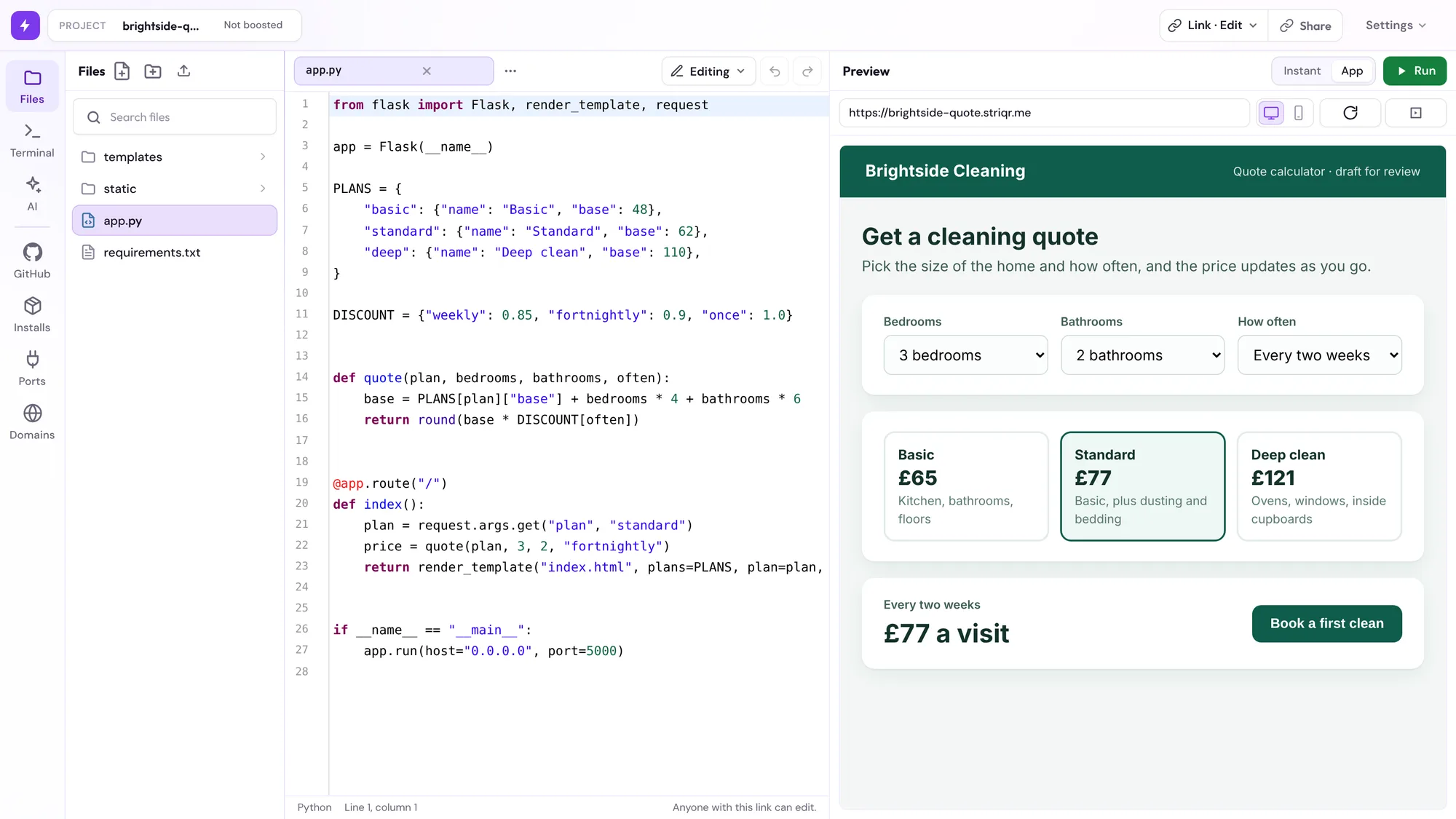
You get a real browser based editor with syntax highlighting, multiple files and a terminal. Paste the project in, or build it there in the first place.
Save a file and the live preview updates, so you're seeing the running result while you work rather than restarting anything by hand.
Step 3: Send the URL
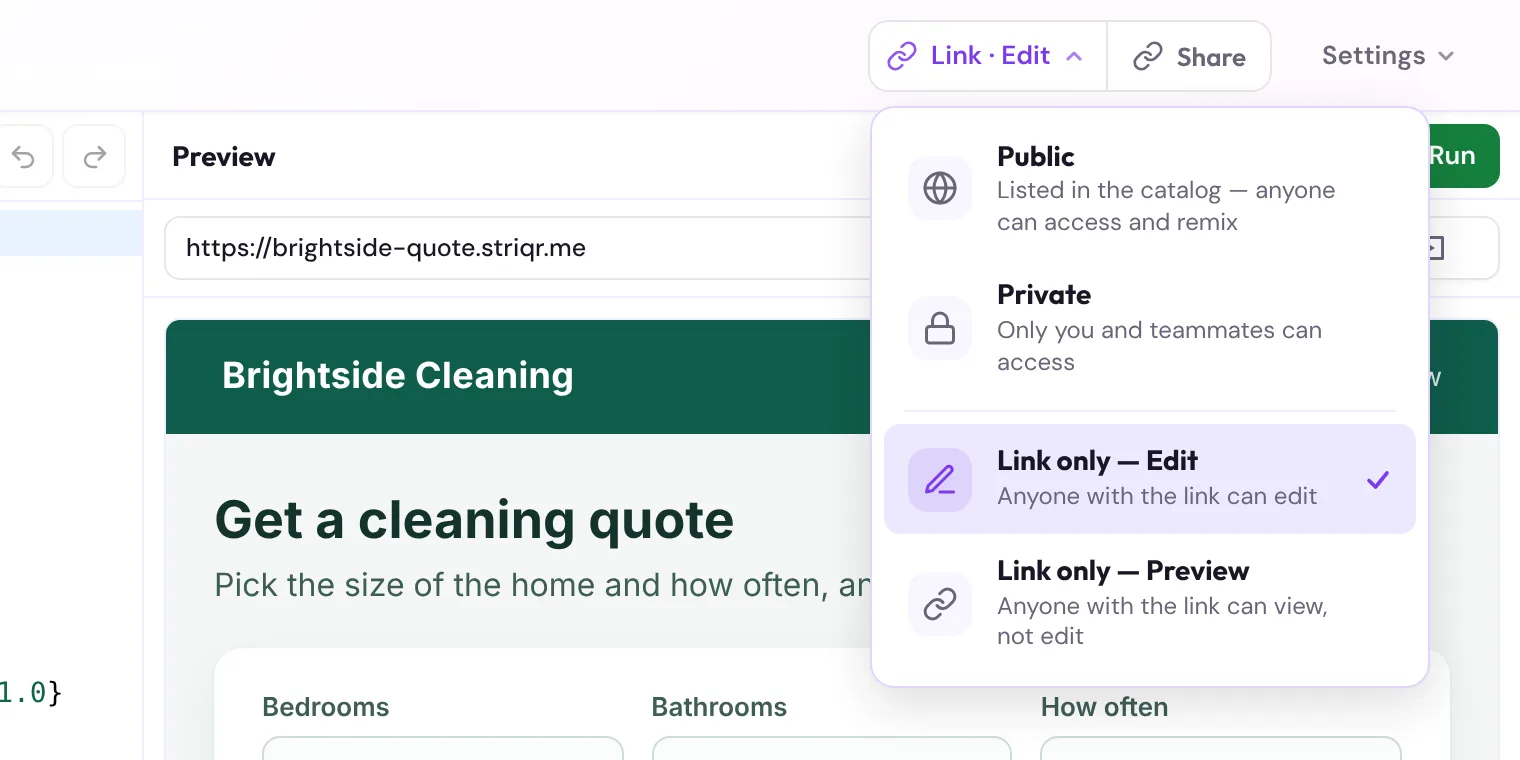
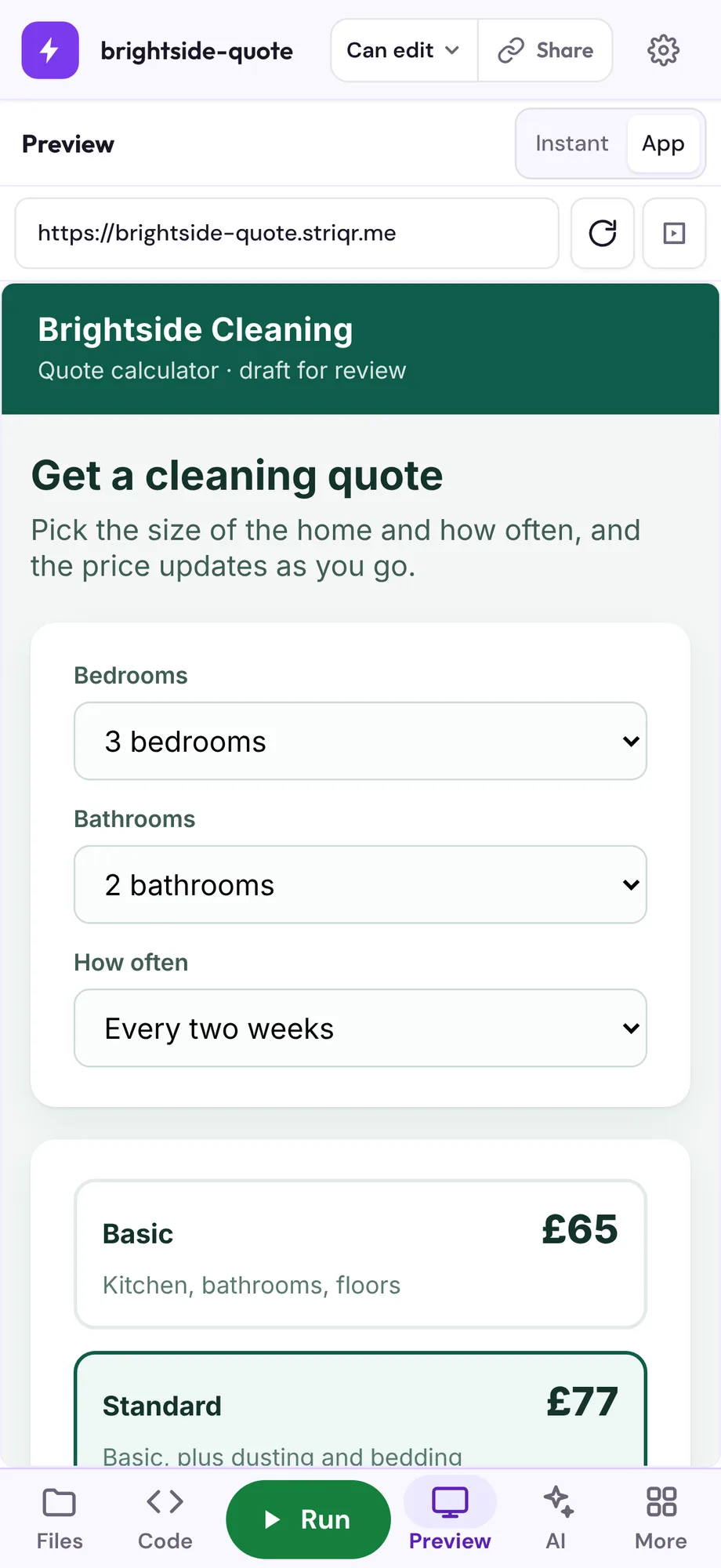
The sandbox has a link. That's the deliverable. Your client opens it and the code runs in their browser. No clone, no install, no version mismatch, no call.
Step 4: Take the feedback in the same place
When the feedback is the kind that's faster to fix than to explain, you can invite them or a teammate into the same sandbox. Same files, live cursors, both of you editing. That's the version of a screen share where something actually gets fixed instead of demonstrated.
Step 5: Keep it alive for as long as the engagement lasts
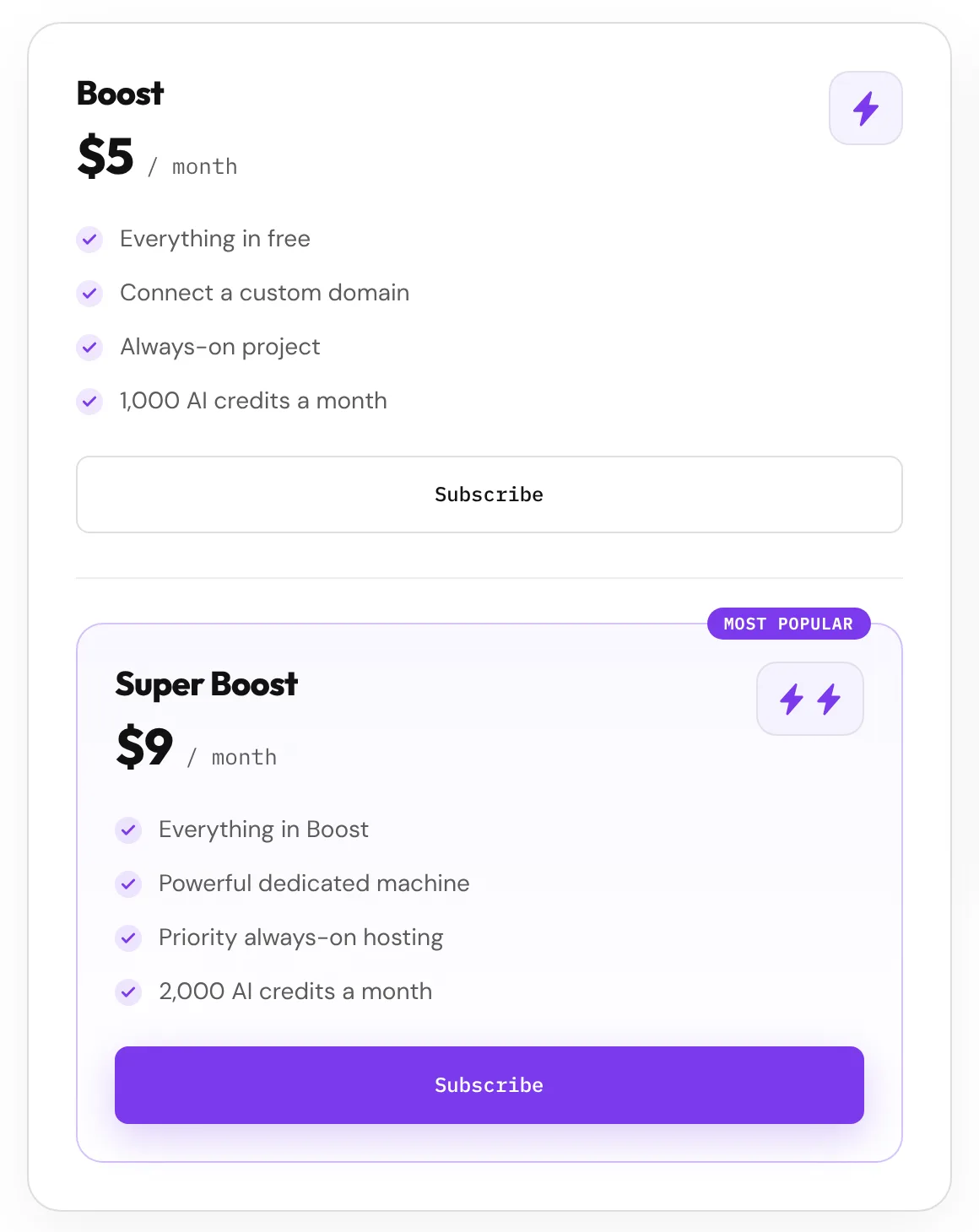
Sandboxes suit quick reviews. For a client project that runs for weeks, where the link needs to keep working and preferably sit on your own domain, Boost keeps a project online 24/7 with a custom domain. Same project, no migration, no separate deploy pipeline.
Boost is $5 a month, which covers always-on hosting, a custom domain and 1,000 AI credits. Super Boost is $9 and adds a dedicated machine, priority hosting and 2,000 credits. For context, that's less than most people spend on a staging server for a single client project, and you can put the project on the client's own domain rather than sending them a link that looks temporary.
What to do when your client can't install anything at work
This deserves its own section because it's the case where every other option on the list fails at once, and it's more common than most freelancers realise.
On a managed device the client typically has no admin rights, so installers won't run. Mail gateways often strip or quarantine attachments containing executable content, so your zip may never arrive in a usable state. And a repo link is meaningless to someone with no way to run what's in it.
A browser based link is the only one of the five options that has a chance here, because there's nothing to install. The client opens a URL in the browser they already have.
One honest limit, and it applies to us the same as anyone else. The strictest environments run domain allowlists, meaning only approved sites load at all. If your client is inside one of those, a sandbox link works only if the domain is permitted. That's not something any tool can promise around, so if you're working with a client in a heavily restricted setting, the useful question to ask early is simple: can you open this link. Ask it at the start of the engagement rather than the day before a deadline.
For the large middle ground, which is most corporate and public sector clients, installs are blocked but general web access is not. That's exactly the gap a browser link fills.
The part most articles skip: what not to put in a shareable link
I'd rather be straight about this than pretend a sandbox link is a secure environment.
A link that anyone can open is, functionally, public. Treat it that way. That means:
- No live API keys or secrets. Use test keys, or stub the calls out entirely for the demo.
- No real customer data. Seed it with fake records. This is not optional if you're touching anything covered by GDPR, and if you're doing client work in the EU or UK you are.
- No production database credentials. Point the demo at a throwaway.
- Check your NDA. Some client contracts prohibit hosting their work on third party platforms at all. Read before you paste.
None of this is specific to us. It applies to any hosted sandbox, staging URL or preview deploy you've ever sent. It's just that nobody writes it down, and freelancers learn it the hard way.
The safe version of a client demo is a working front end, real interactions, and fake data behind it. That's what clients want to see anyway.
Which method should you actually use
Rough guide, based on what you're trying to get out of the client:
| When | What to send |
|---|---|
| They need to review and give feedback | A link that runs. This is most of the time. |
| They need to understand a decision you made | A short recorded walkthrough, then the link. |
| They need to sign off on one visual detail | A screenshot is fine, stop overthinking it. |
| Their developers are taking ownership | The repo, with a readme that's been tested on a clean machine. |
| It's a complicated flow and they're stuck | Get in the sandbox together. |
The mistake isn't picking the wrong one. It's using the screen share call for all five.
Common questions
How do I share code with a client who isn't technical?
Can I send a client a working demo without deploying to a server?
Does the client need to install anything?
Does the client need an account?
What if the client wants changes?
My client can't install software on their work computer. What do I send them?
Can I share code with a client on a locked down or government network?
Is it safe to share client work this way?
Can I share a Python or Flask app, not just a front end?
The short version
Clients don't want your code. They want to click the thing and tell you what they think about it. Every method that puts a step between them and that moment costs you time, delays feedback, and makes you look harder to work with than you are.
One link, opens in their browser, runs immediately, still works tomorrow. That's the whole standard.
Launch a free sandbox on Striqr, paste your project in, and send the URL to your next client instead of a zip file.